Plans
A plan is one thing you sell. Individual plans have tiers. Team plans have a seat ladder.
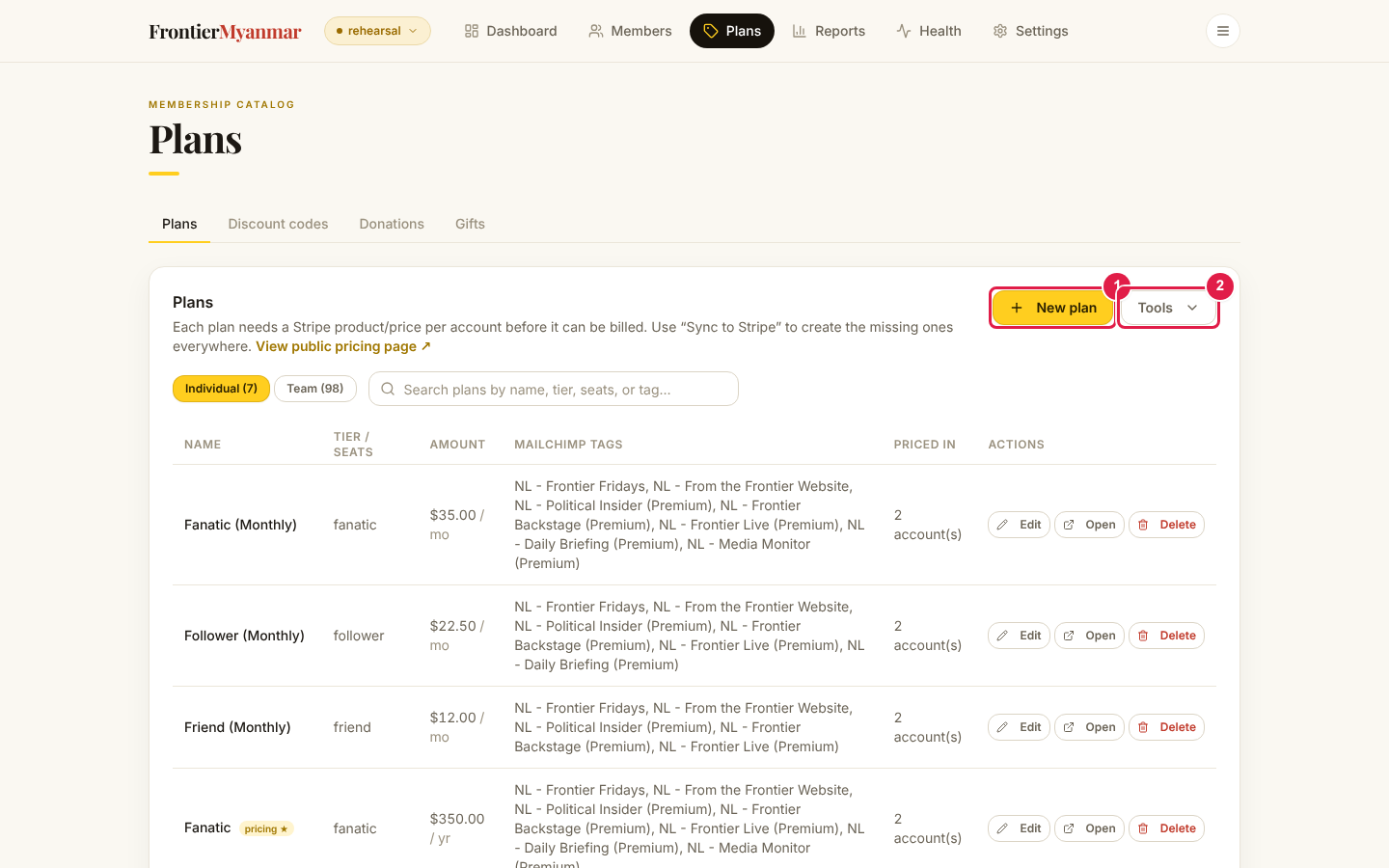
Create or edit a plan
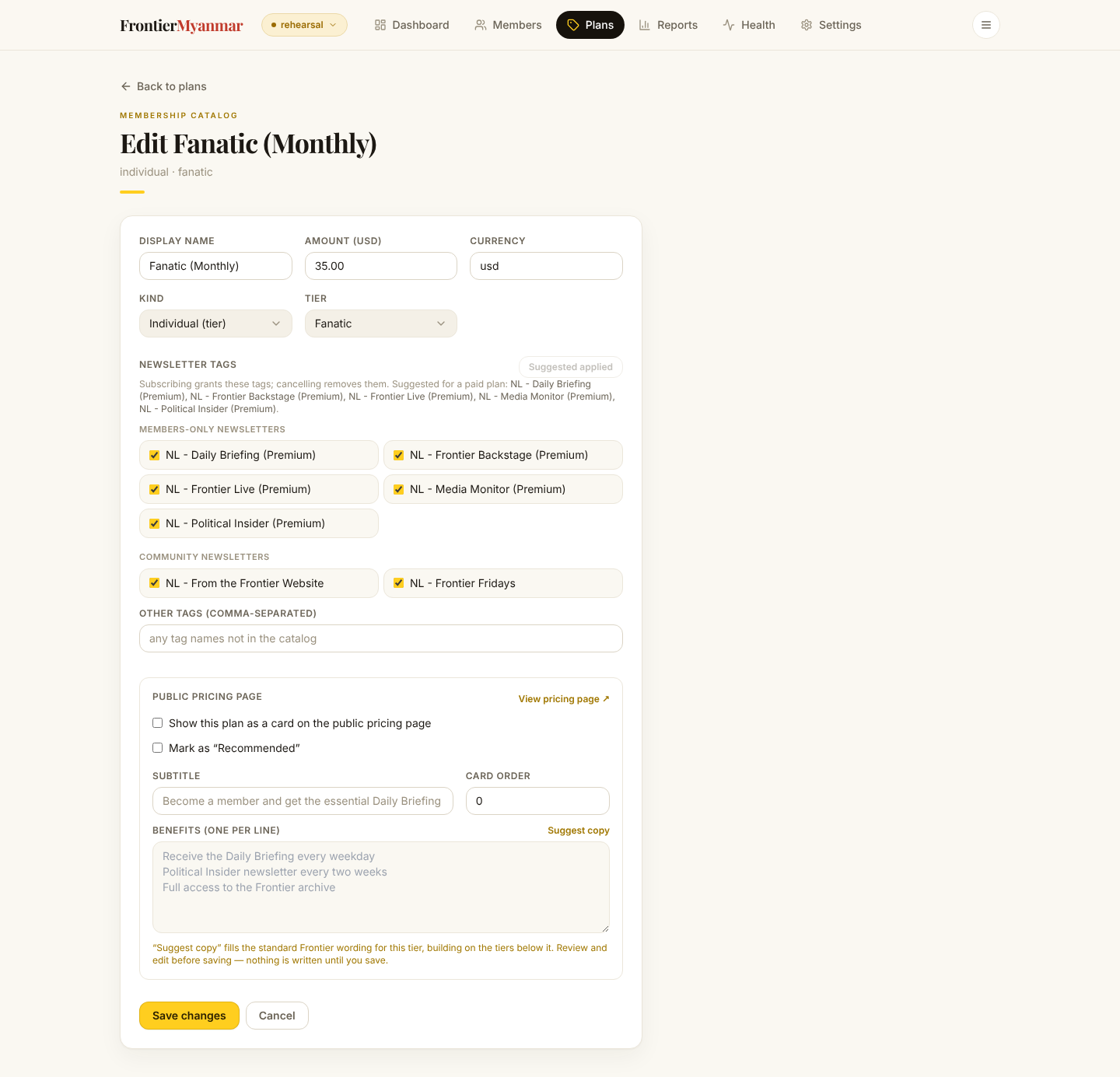
The important fields:
- Display name — what members see.
- Amount and currency — the price.
- Mailchimp tags — which newsletters this plan grants. The agreed mapping is on Newsletters by tier. Get these right or people receive the wrong things.
- Show on pricing and Benefits — how the plan appears on the public pricing page. One benefit per line.
A price cannot be edited once Stripe knows it
As soon as a plan has a price mapped in any Stripe account, FMS refuses to change the local price. Changing one and not the other is how members get billed the wrong amount. Create a new plan instead.
The Tools menu
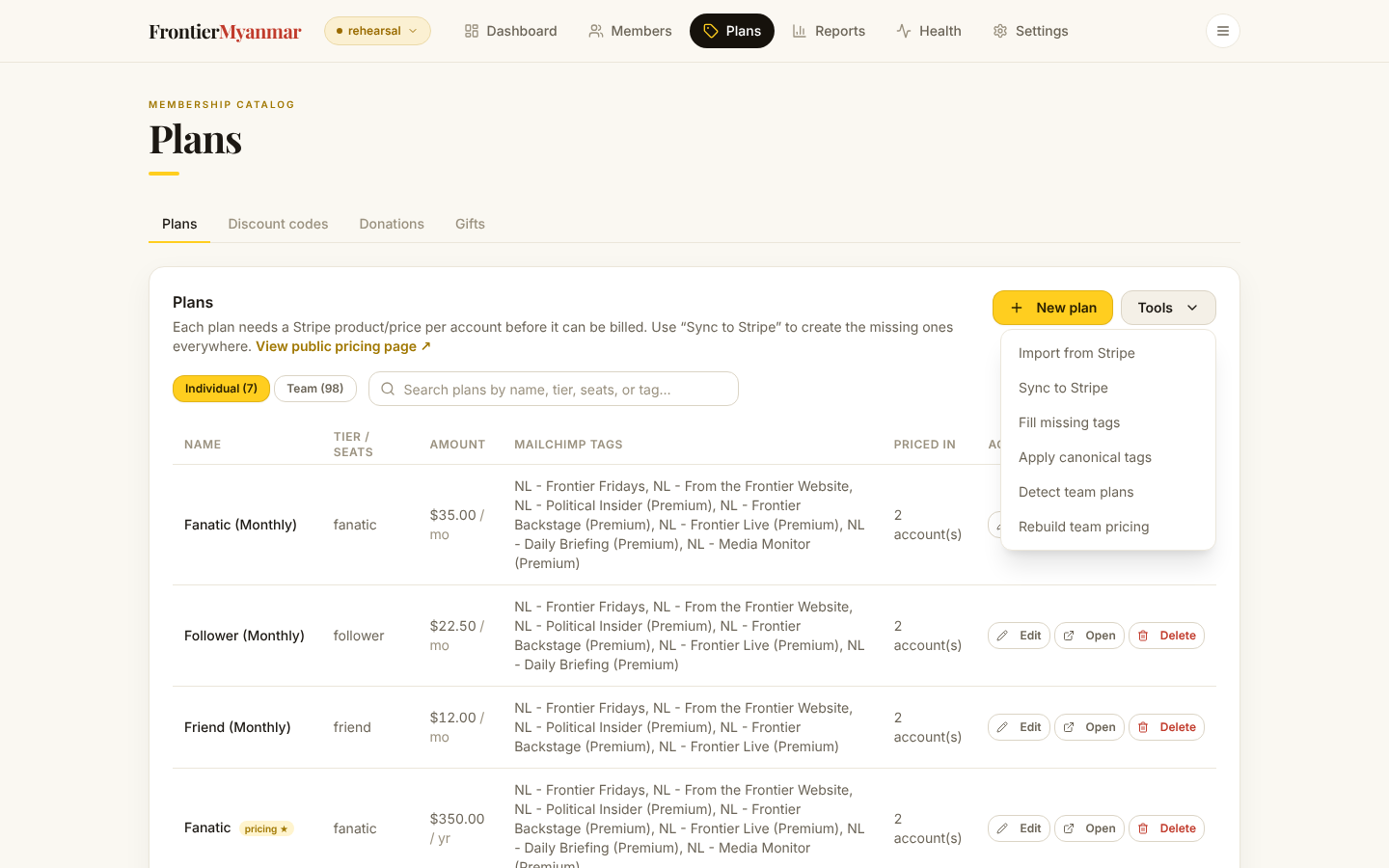
| Tool | What it does |
|---|---|
| Import from Stripe | Pulls prices that already exist in Stripe and maps them to plans. |
| Sync to Stripe | Creates the matching price in a connected account. |
| Fill missing tags | Suggests newsletter tags for plans that have none. |
| Apply canonical tags | Resets tags to the agreed tier-to-tag mapping. |
| Detect team plans | Finds plans that are really team plans and labels them. |
| Rebuild team pricing | Recalculates the seat ladder. |
Every one of these shows you what it will change first. Read the preview before applying.