Record a payment made outside Stripe
Use this when a member paid by bank transfer, cash or invoice. It is bookkeeping. It does not charge anybody and it does not change their access.
You'll need
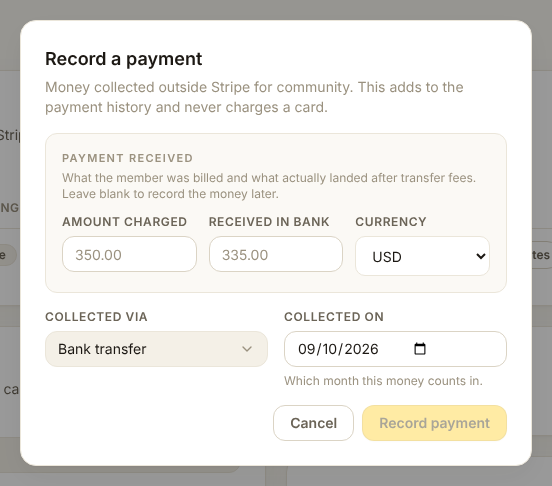
The amount they paid, the date, and how it arrived. If Stripe fees were not involved, the gross and net are the same number.
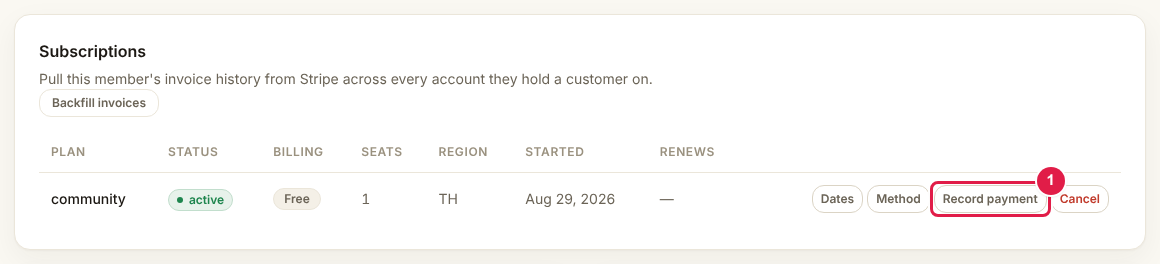
- Open the member's page and find Record payment on the subscription row (1).
- A box opens asking how the money arrived.
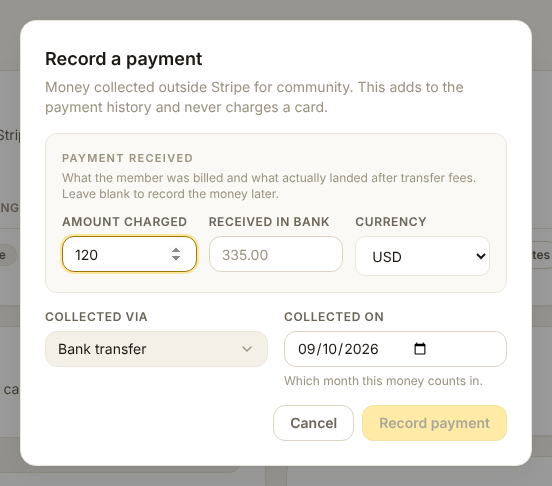
- Fill in the method, the date and the amount, then save.
Check it worked
- The payment appears in the payment history under that subscription
- The amount shows up in Reports for the right month and currency
Removing a mistake
Every recorded payment has a Remove button.
Remove does not refund anything
It deletes the bookkeeping line, nothing more. If real money needs to go back to the member, do the refund in Stripe or through the bank.
Use Remove for a typo or a double entry, and add a note explaining what happened.
Why the amounts are asked twice
Gross is what the member was charged. Net is what reached the bank. For a bank transfer they are usually the same. For anything with a fee taken off the top, put the real arrival amount in net, or Reports will overstate what you earned.