Dashboard
The Dashboard answers two questions: how is membership going, and is anything broken.
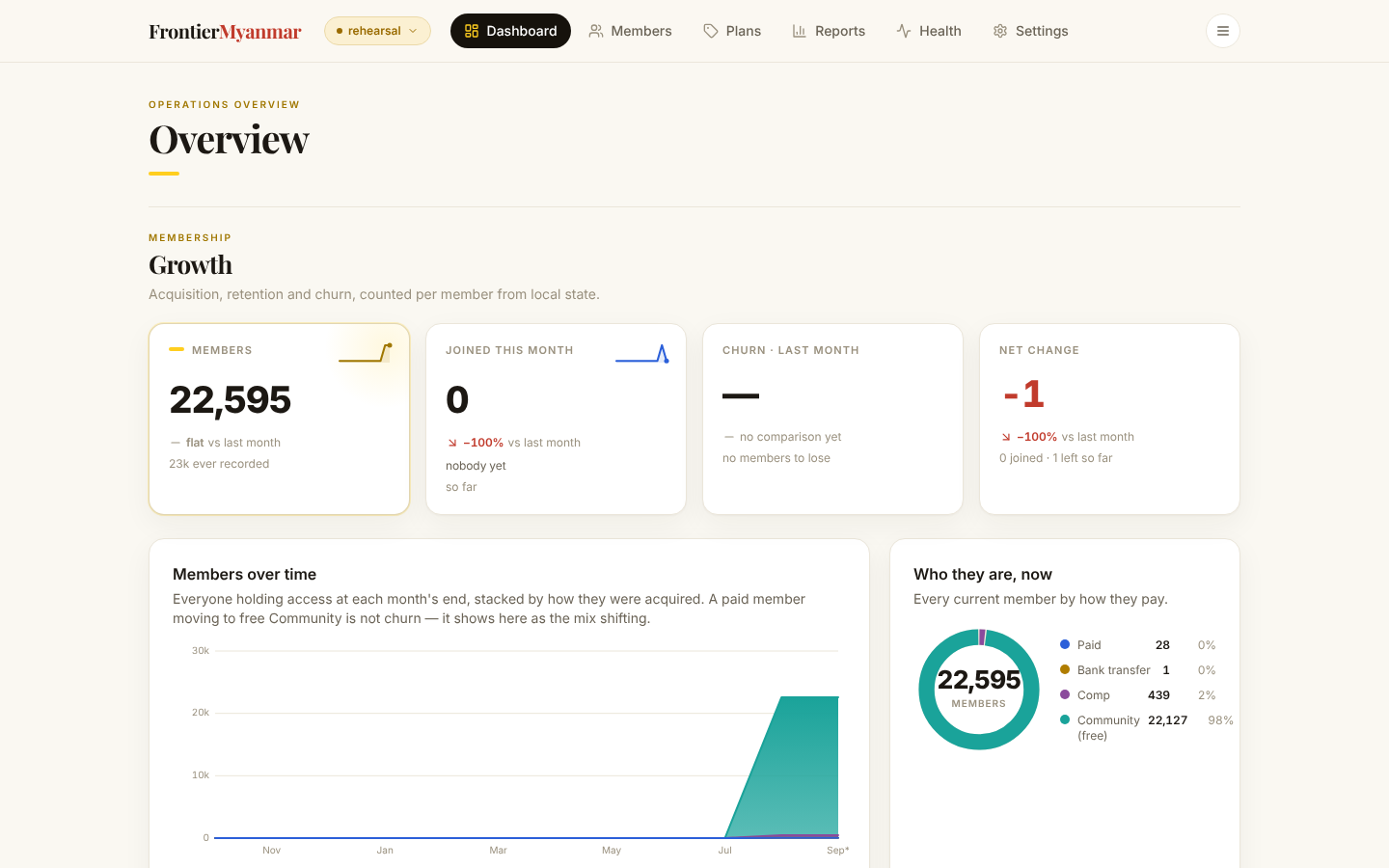
Growth
Four numbers, then four charts. Everything is counted per member, so somebody with a personal plan and a team seat counts once.
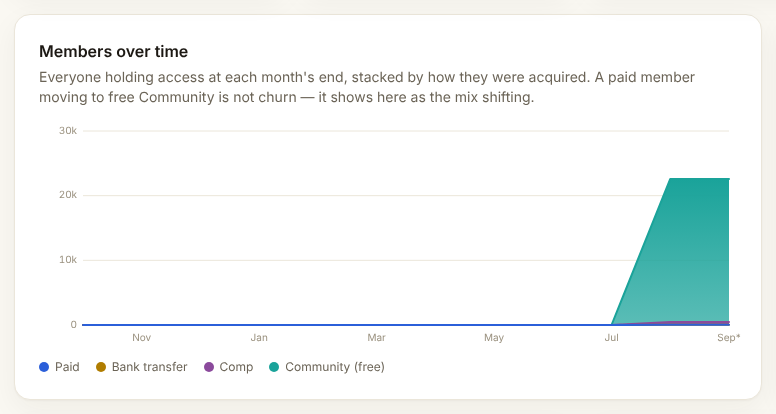
A rate with nothing to compare against shows a dash, never zero. Early in a month, churn will often read "no comparison yet". That is correct, not a bug.
What counts as churn
A paid member dropping to free Community is not churn. It shows in "Members over time" as the mix shifting. A failed payment is not churn either while the bank is still retrying.
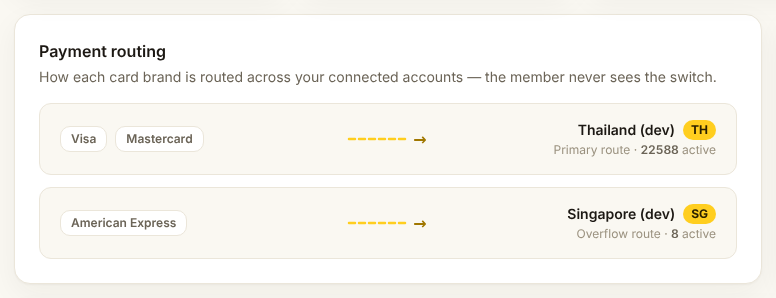
Payment routing
Which card brand goes to which Stripe account, and how many members sit on each.
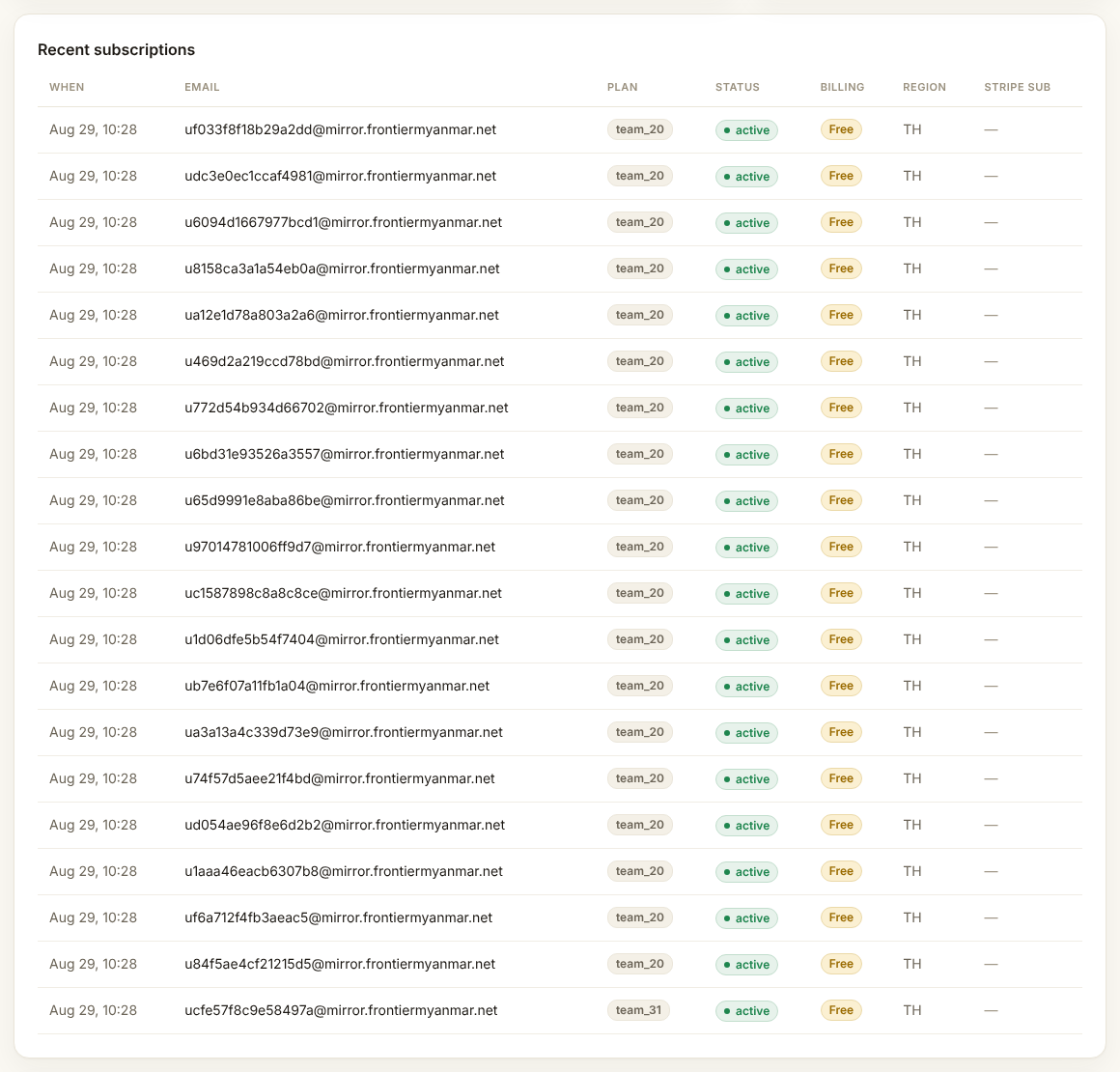
Recent subscriptions
The last few memberships created, with status, source and region.
The four small numbers
Active members and Subscriptions are the size of the business. Outbox pending should sit near zero. Dead-letter should be zero. If it is red, open Dead letters.