Keep members' newsletter opt-outs
Record in FMS the newsletters members left in Mailchimp while the old plugin was in charge. FMS then never subscribes them again.
You'll need
- The Owner role. Other roles do not see the Import from WordPress button
- Mailchimp's audience export as a CSV, with the Email Address and Tags columns
- When that export was taken
- The members imported first. See Import and verify members
- Open Members and press Import from WordPress. Use card 2, Newsletter unsubscribes — the Mailchimp audience export.
- Press Choose CSV… and pick the Mailchimp export.
- Check Export taken at (your time). Change it if the file was copied after the export.
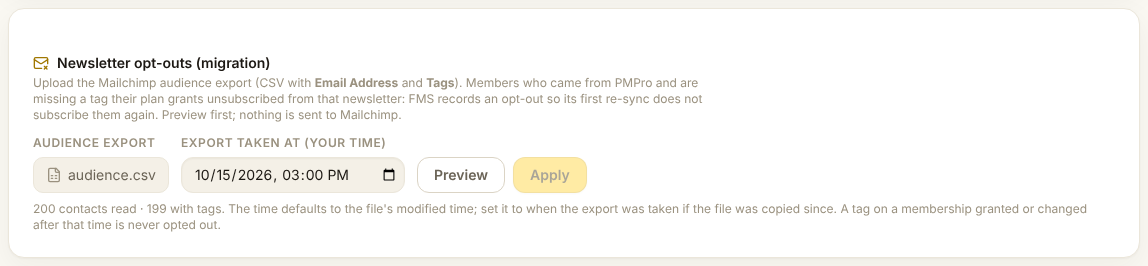
- Press Preview. Nothing is written.
- Open Would be opted out and Not in the audience. Check a few people in Mailchimp.
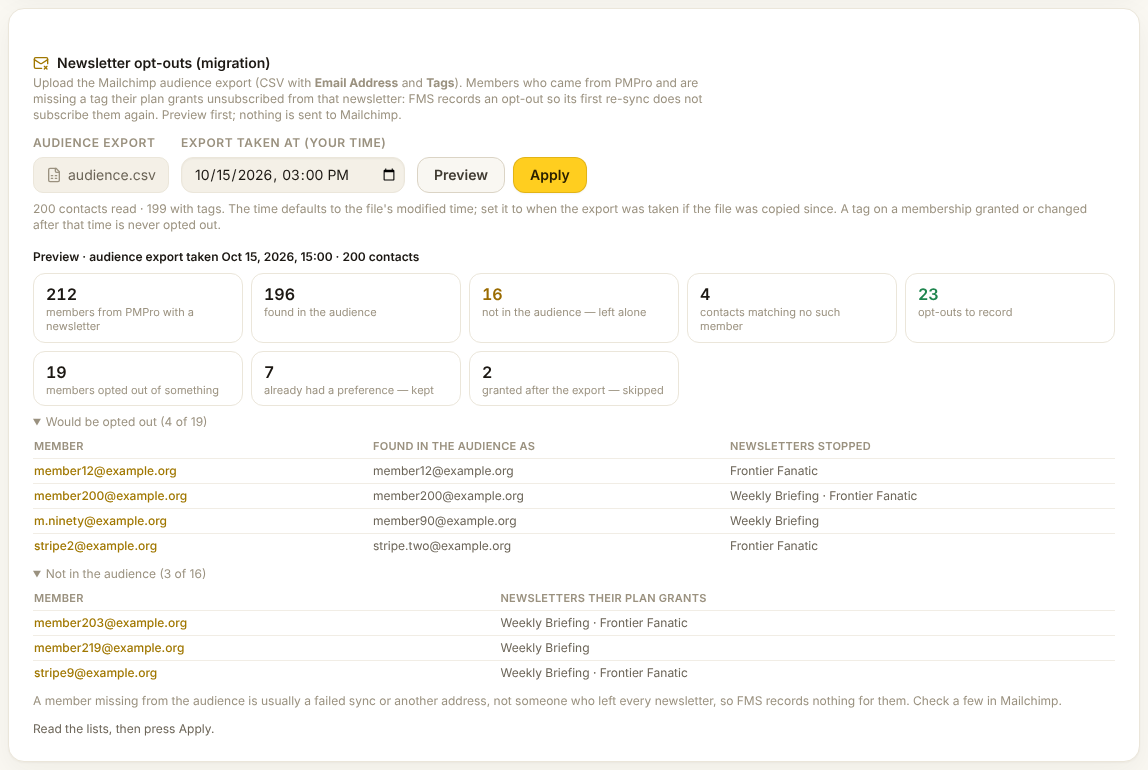
- Press Apply, read the dialog, and press Record N opt-outs.
Check it worked
- The card says N opt-outs recorded
- On a member from the list, Newsletters shows the newsletter turned off
- Press Preview again: opt-outs to record is 0
Reading the preview
| Count | Means |
|---|---|
| members from PMPro with a newsletter | The members it looks at. Members who joined through FMS are left out. |
| found in the audience | Found under their newsletter, login or previous address. |
| not in the audience — left alone | Not found at all. Nothing is recorded for them. |
| contacts matching no such member | Other contacts, such as newsletter-only readers. Nothing happens to them. |
| opt-outs to record | Newsletters their plan grants that their Mailchimp row lacks. |
| already had a preference — kept | A choice already in FMS. It is never changed. |
| granted after the export — skipped | A plan given or changed after the export time. Its newsletters stay on. |
A member missing from the audience is not an opt-out
That is usually a failed sync or another address. FMS records nothing for them. Check a few in Mailchimp before you go on.
When the opt-outs reach Mailchimp
Nothing is sent to Mailchimp now. Each member's next re-sync applies the opt-outs. Handing a member over queues one. An opt-out stays until the member, or staff on the member page, turn that newsletter back on. Running it again with the same file adds nothing.
Related: Step 2: Data · Newsletters by tier.