Teams
A team buys a block of seats. One person is the team admin and fills the seats. The price per seat falls as the team grows.
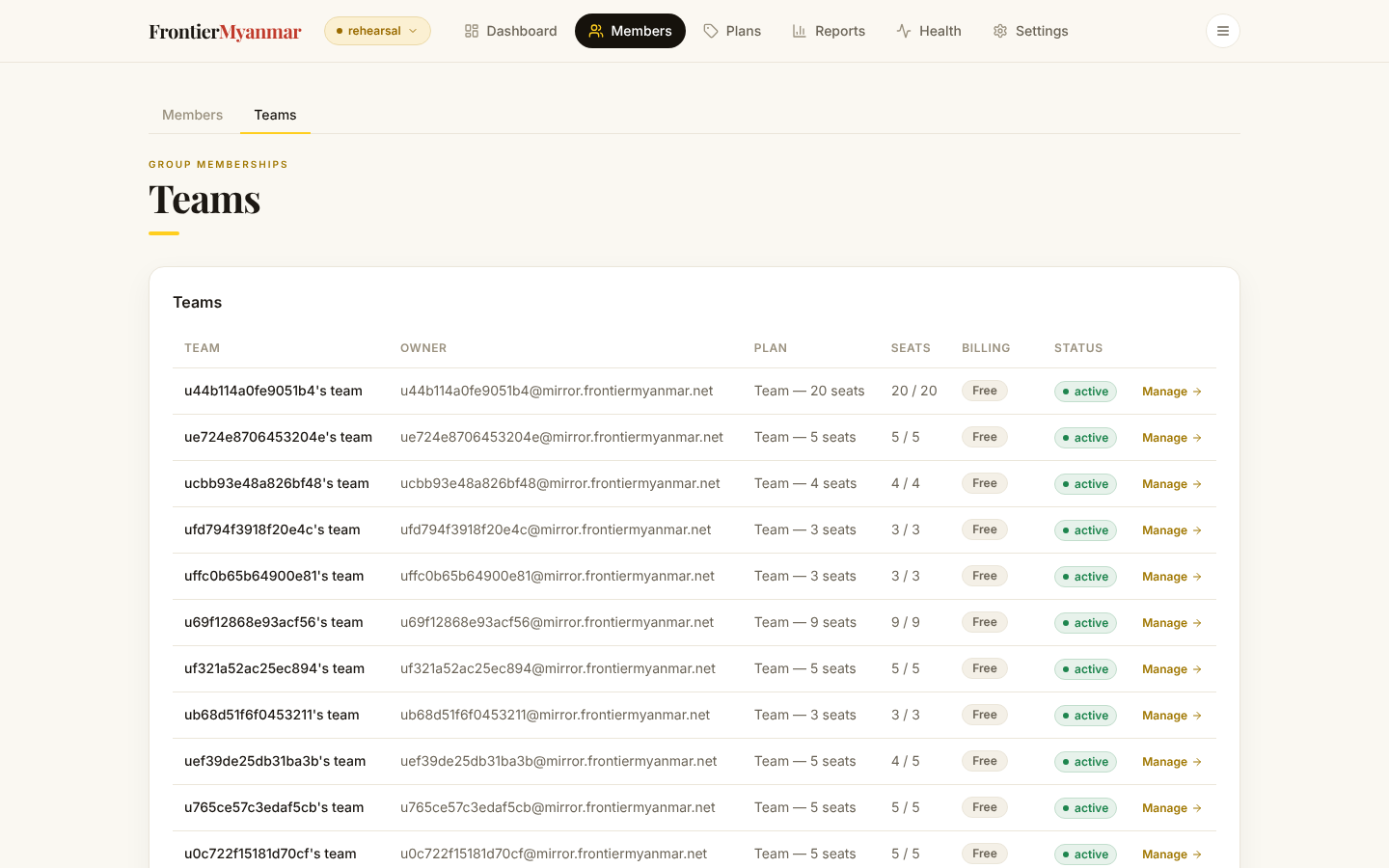
Create a team
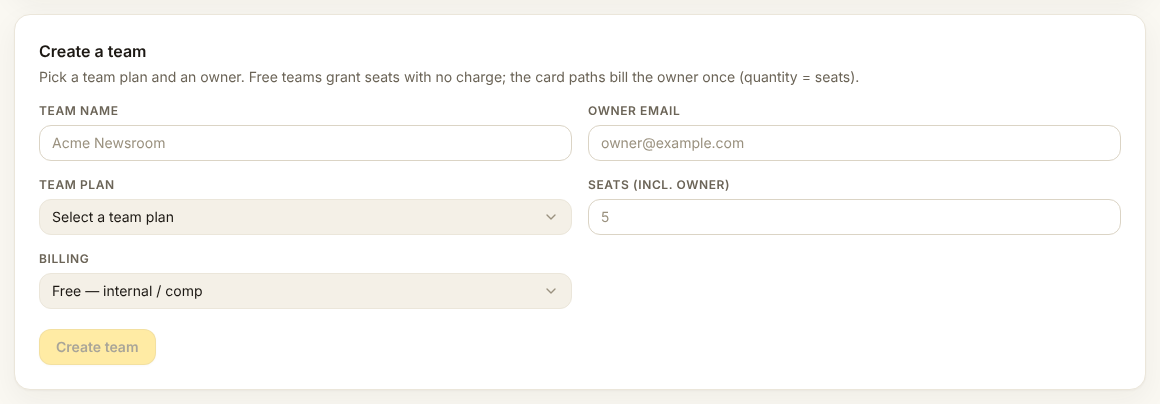
The owner's email becomes the team admin and takes the first seat. Choose how it is paid for the same way you would for a person: comp, outside Stripe, or by card.
Manage a team
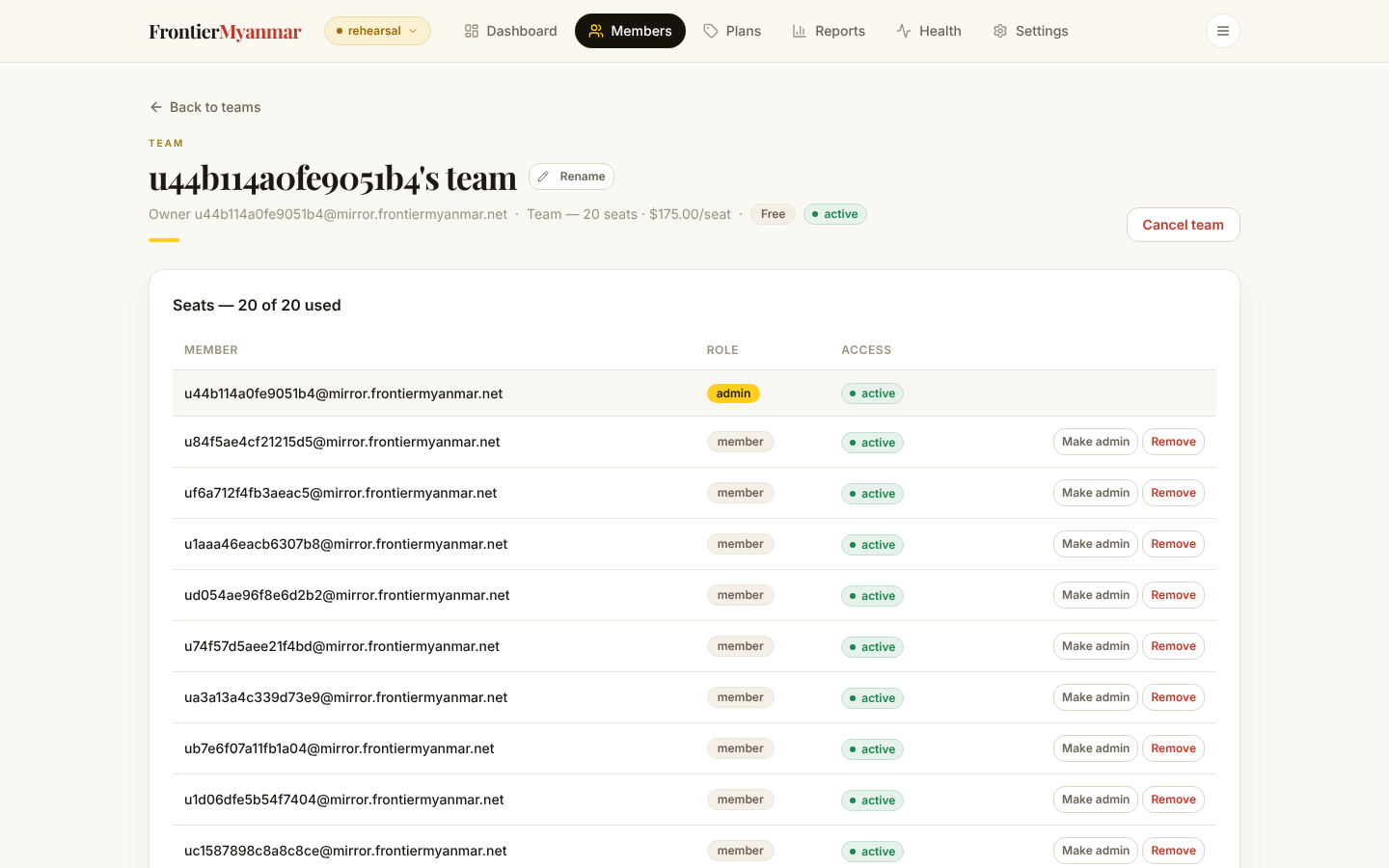
- Add a member puts somebody into a free seat. If the team is full, buy seats first.
- Make admin hands over control. The person who was admin becomes an ordinary member.
- Remove frees the seat immediately.
Change the number of seats
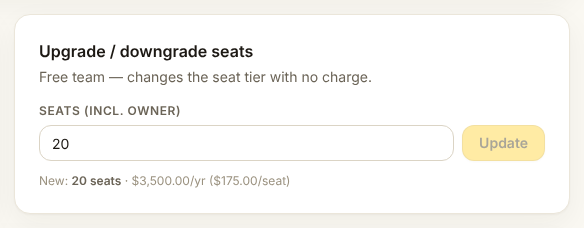
This charges the team
Adding seats changes their Stripe subscription straight away. Read the preview, and tell the team admin before you do it.
Removing seats works the same way in reverse. You cannot go below the number of seats already filled, so remove people first.
Team newsletters
A team can mute a newsletter for everybody in it. Individual members can still switch things off for themselves, but they cannot switch a team mute back on.