Paying by invoice
What a team admin goes through when they pay for a team by bank transfer or Wise instead of a card. Staff switch this on in Team invoices.
Asking for an invoice
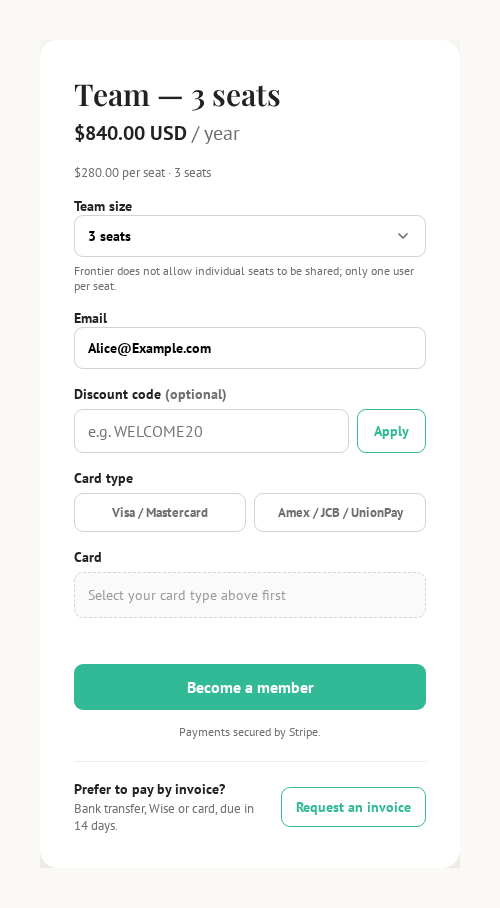
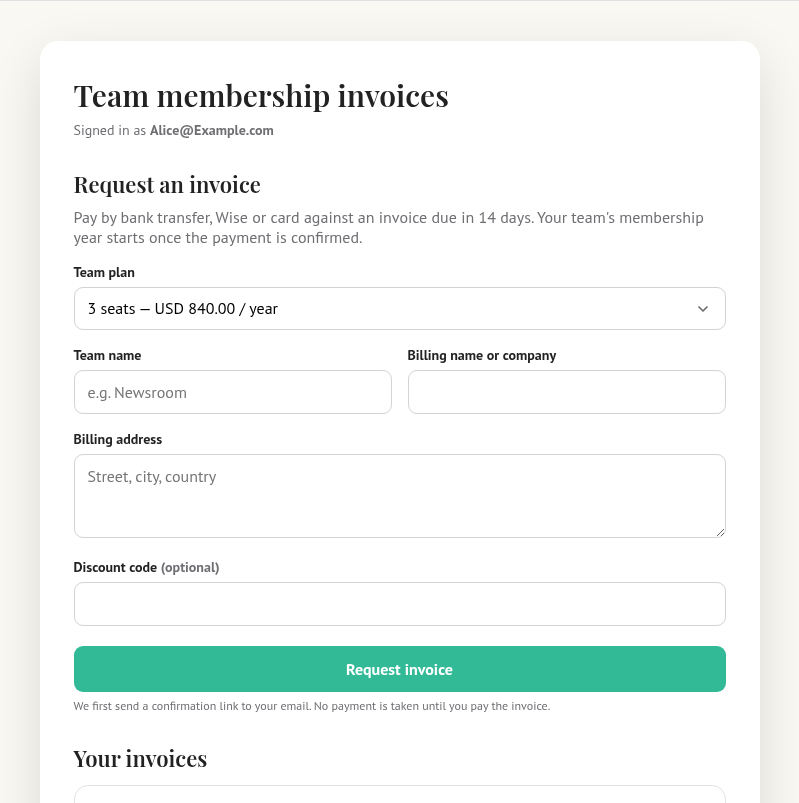
On the team checkout page, below Become a member, they press Request an invoice. They fill in the team name, the billing name and address, and a discount code if they have one.
Confirming their email
They get an email with the subject Verify your team invoice request (from the mailbox on Settings → Email, or from WordPress if none is set). The link in it opens a page with one button, Confirm and issue my invoice. Nothing is charged at this point.
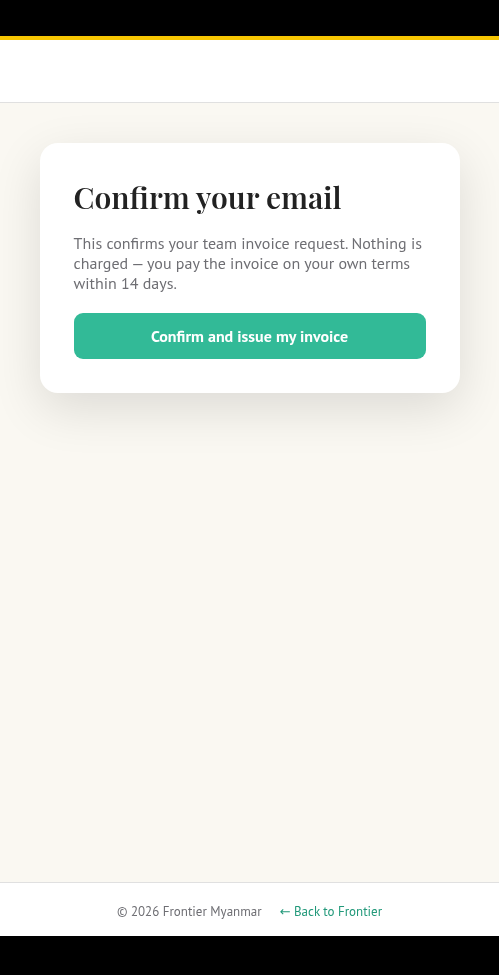
The link works once and lasts 24 hours. If it has gone, they press Resend confirmation email on their invoices page.
Two confirmation emails
Someone who has just joined may also have the website's own confirmation email. Either link does the job. Confirming one confirms the other. The account page stops asking them to confirm your email address, and the invoice is issued.
Their invoices page
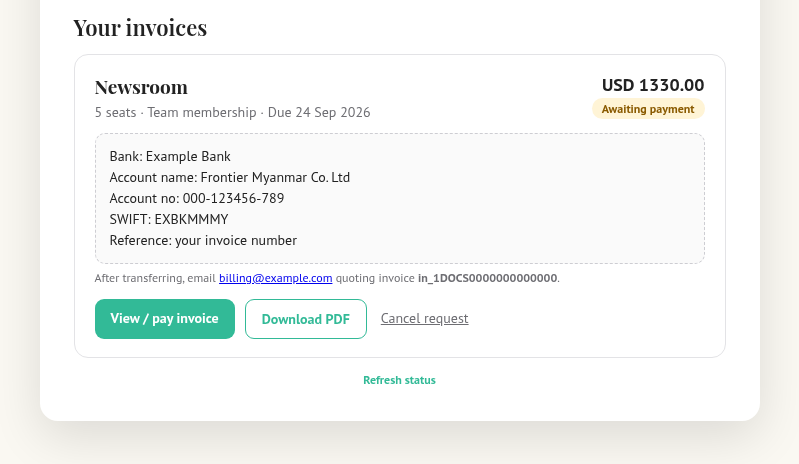
Each invoice shows a status pill, the amount, and the due date.
| They see | What it means |
|---|---|
| Awaiting email confirmation | They have not clicked either confirmation link yet. |
| Preparing invoice | FMS is creating it. A minute at most. |
| Awaiting payment | Issued. The bank details and the Stripe link are shown. |
| Paid | Done. The team is active. |
| Cancelled or Expired | Nothing to pay. They can request a new one. |
To pay they either copy the bank or Wise details shown on the page, or press View / pay invoice to pay by card on Stripe. After a transfer they email the address shown on the page with the invoice reference, and staff confirm it in Team invoices.
Common questions
"I paid two days ago and it still says awaiting payment." A transfer needs a person to confirm it. Check with whoever watches the bank account, then confirm the payment.
"Can we get more seats?" Yes. On the same page they choose a new seat count and press Review upgrade invoice. The extra seats start working once that invoice is paid.
"We need fewer seats." Staff only. See Teams.
"Our renewal invoice arrived. Do we have to pay by the date?" Access continues for 14 days after the anniversary. After that the seats pause until the invoice is paid. Nobody is removed from the team.