The confirm payment banner
Sometimes a member's bank wants them to approve a renewal in their banking app. Until they do, the money has not moved. Retrying the card does not help, because the bank is not asking about the card.
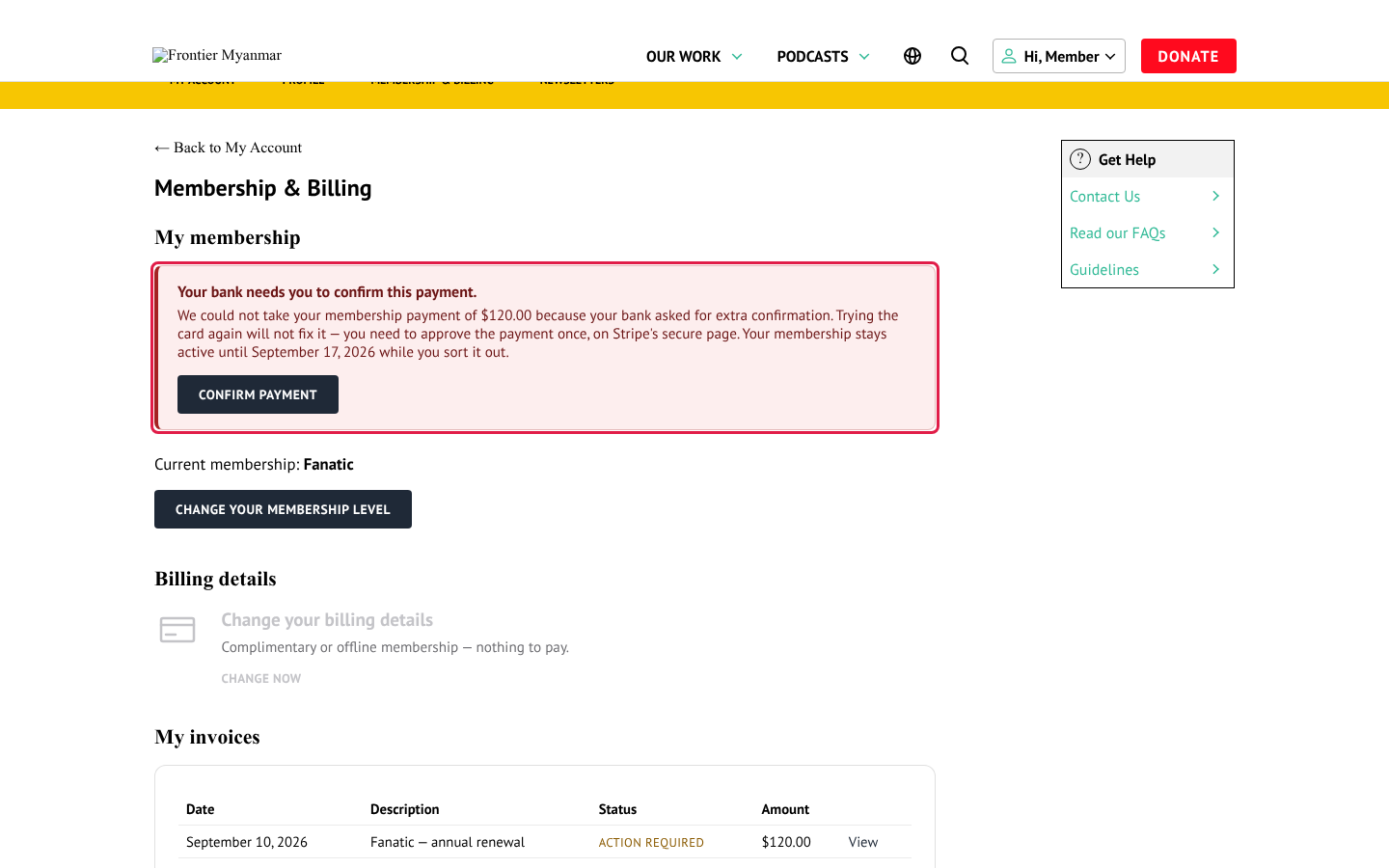
What the member sees
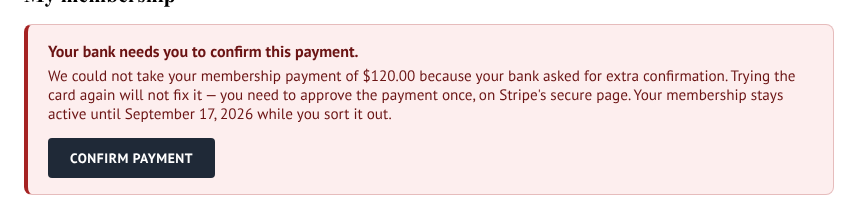
The banner names the amount, explains that retrying the card will not help, gives the date their access stays valid until, and offers a Confirm payment button that opens their bank's confirmation page.
What to tell them
Your bank has asked you to approve this payment. Sign in to your account on our site, open your membership page and press Confirm payment. It opens your bank's page. Your membership stays active in the meantime.
What not to do
Do not ask them for a new card
A new card starts a new payment and can end up charging them twice. The only thing that clears this is the confirmation link.
Do not cancel and re-create the membership either. Same reason.
What staff can see
The invoice is held in a waiting state and the member keeps access for a bounded window. FMS raises a health alert while any member is in this state, so it shows on Health. It clears itself the moment the payment succeeds or finally fails.