Content gating settings
The rules that decide what a reader gets when they are not entitled to an article.
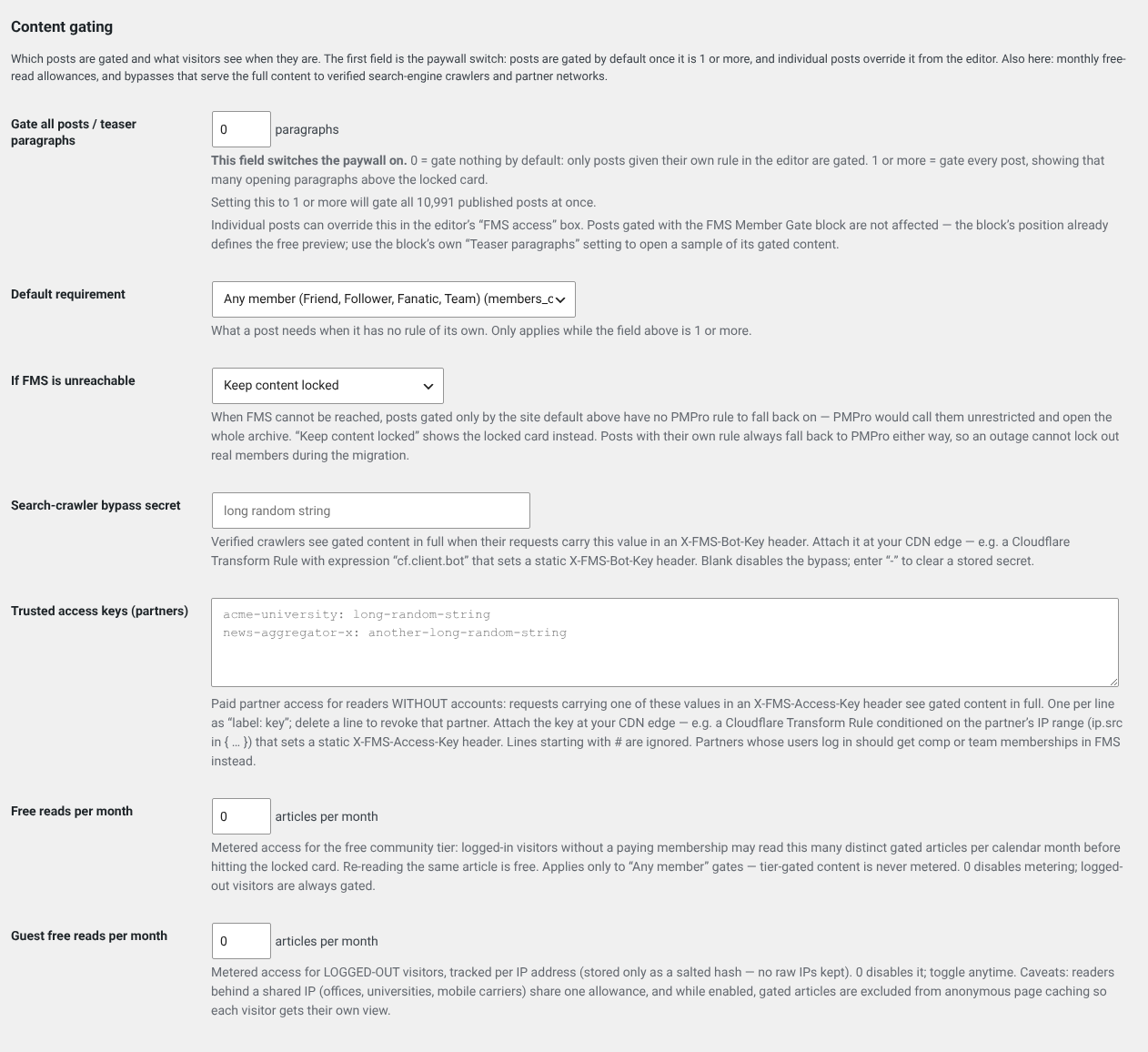
| Setting | What it does |
|---|---|
| Gate all posts | Locks every post by default, instead of only the ones you mark. |
| Teaser paragraphs | How many paragraphs everyone can read before the lock appears. |
| Default requirement | The membership level a reader needs when a post does not say otherwise. |
| If FMS is unreachable | What to do when FMS cannot be asked. |
| Search-crawler bypass secret | Lets verified search engines index full articles. |
| Trusted access keys | Lets a named partner through without an account. |
| Free reads per month | How many gated articles a signed-in member may read anyway. |
| Guest free reads per month | The same, for readers who are not signed in. |
The outage setting is the important one
If FMS cannot be reached, the plugin has to guess. The safe answer is to keep content locked. The friendly answer is to let people through. Locking is the default because unlocking gives away what you sell, and this is the one setting that decides which mistake you prefer.
Free reads are how people discover you
A small monthly allowance lets a stranger read one or two articles and then meet the paywall having seen the quality. Zero is a valid choice, just a different strategy.
Metering does not track people
The guest allowance is counted against a scrambled fingerprint of the connection, not a stored address, and a metered page is never cached, so one reader's count never leaks to another.