Newsletter archive
Every newsletter we have sent, laid out as an article and searchable in one place. It comes with the memberships that include it: out of the box Fanatic and every team plan. Which plans include it is a box on each plan in FMS (Plans); the plan list marks them archive. Inside the archive, each newsletter can be kept for Fanatic members or opened to another membership level, or to everyone. See What Friends and Followers can read.
The archive is its own site, but members never sign in to it. They open it from the website, and the website vouches for them.
Getting in
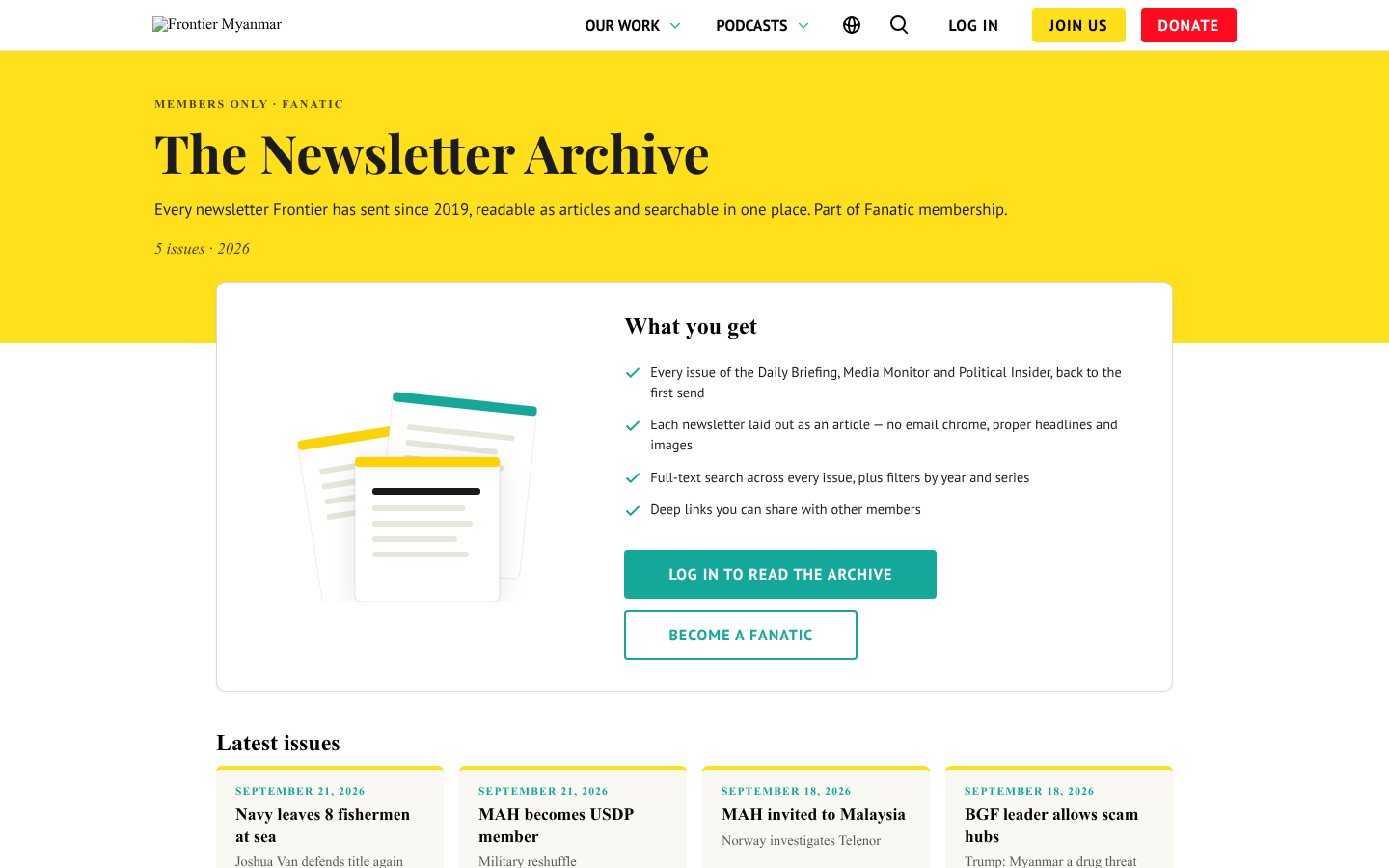
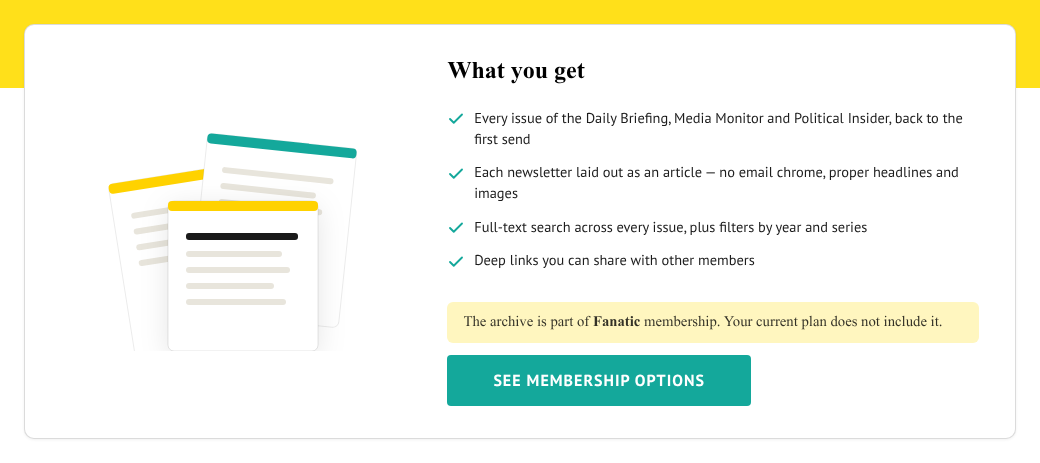
This is the only page people see before they get in. The archive itself sends everyone who is not signed in here, so a shared issue link brings a signed-out member to this page first. After they log in, they land on the issue they opened.
A member whose plan includes the archive never sees this page. Opening it takes them straight into the archive. Latest issues shows headlines only, so nobody can read an issue from here.
The picture at the top moves: issues fly into a pile and a magnifier searches them. The lock on the Members only seal opens when someone points at the log-in button.
Those members also get Newsletter archive in the account menu and in the Our Work menu. Nobody else sees that link.
If the website cannot reach FMS, a signed-in member sees We can't check your membership right now and Try again instead, on this page and on the Newsletter archive card. It never tells them their plan lacks the archive when FMS simply did not answer. If it lasts, check Health.
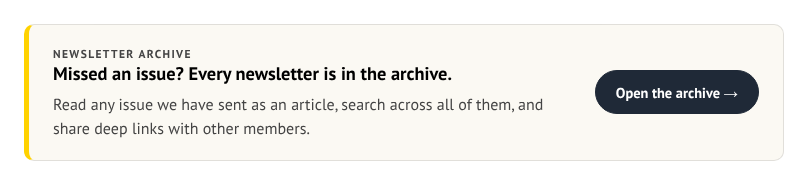
The same Newsletter archive card also sits under the cards on the account hub.
Finding an issue
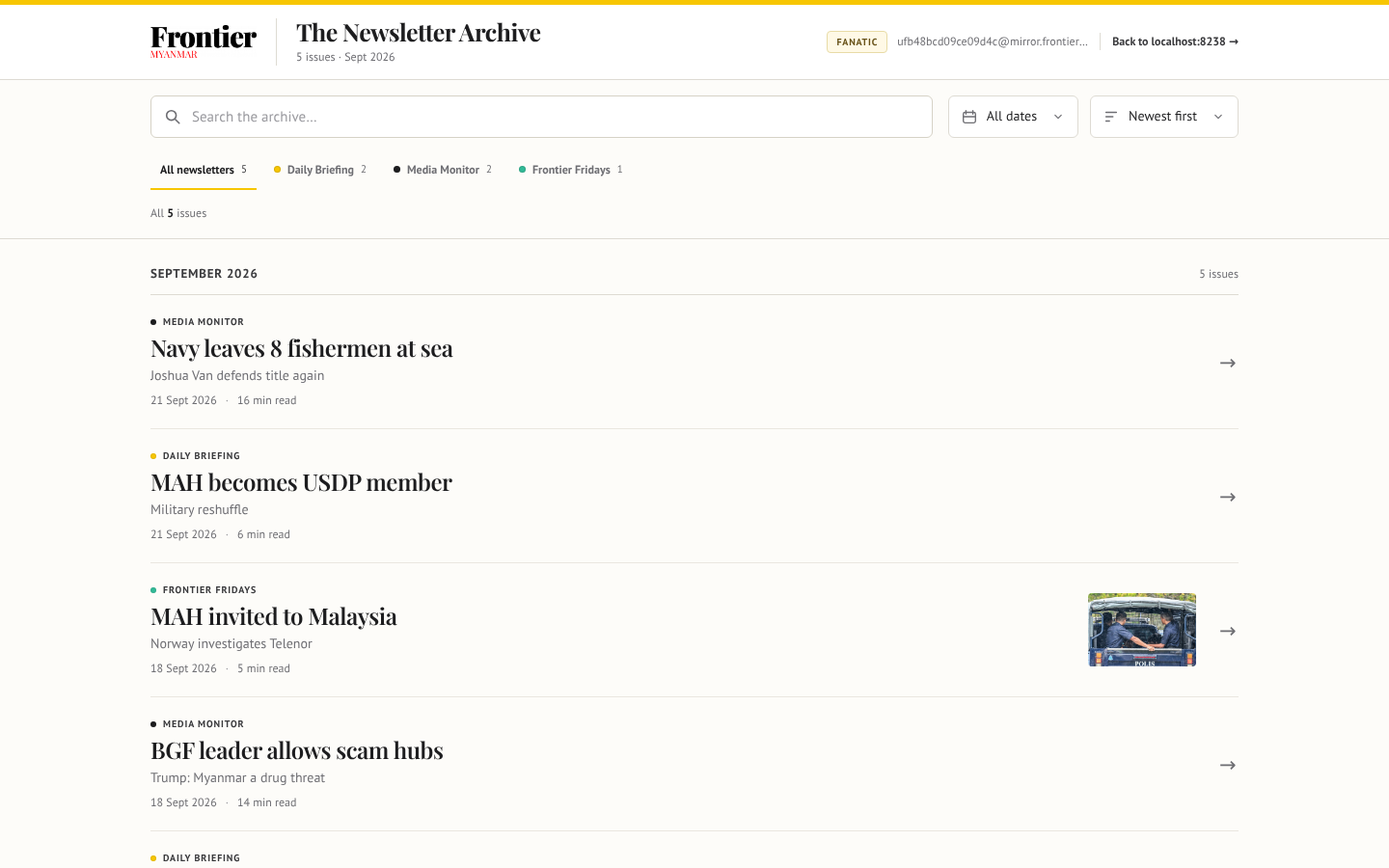
| Control | What it does |
|---|---|
| Search every issue… | Searches the full text of every issue. The list answers as you type, then the best matches move to the top, each with the lines where your words appear. |
| Newsletter tabs | Shows one newsletter. All newsletters shows them all. |
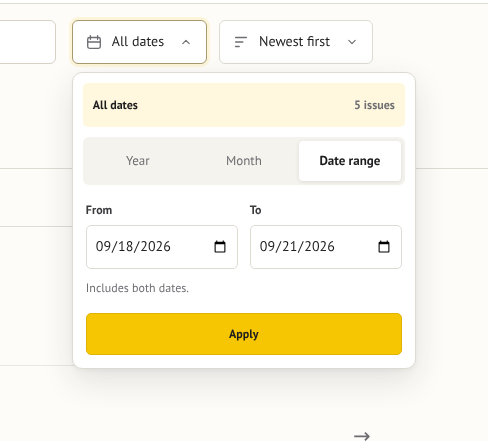
| All dates | Narrows to a year, a month, or a date range. There is no Apply button: the list changes, and the panel closes, as soon as a year, a month, or both ends of a range are chosen. |
| Sort | Newest first, oldest first, or most read. While searching it also offers Best match, and picks it for you. |
| Clear filters | The red button beside Sort. It appears only once a search, date, newsletter, audience, folder or sort other than newest first is set, and puts everything back. |
The filters are kept in the page address. A member can copy it and send another member the same list.
The newsletter tabs are named after the sender each newsletter went out with. Staff who manage the archive can rename, recolour, reorder or hide them. They see a Manage newsletters button at the top right that members never see. A hidden newsletter, and every issue in it, is gone for members. See Tidy the archive's newsletters.
A date or a newsletter name typed into the search box becomes a filter. Type July 2025 Political Insider newsletters and press Enter (or pause): the date shows Jul 2025, the Political Insider tab is picked, and the box keeps only the other words, here none. A line under the box says what it picked: Showing Political Insider · July 2025 from your search. Undo puts the words back and lifts those filters. A month needs its year (July alone is searched as a word); a year alone (2024) picks the year only when the archive has issues from it, and a span like 2025-2026 is searched as words; 2025-07 and 07/2025 work too. Only the newsletters in the tabs are recognised.
The count under the search box ends in full text once the whole-text results are in. If it never does, the quick results still work. The full-text search is simply not answering.
What Friends and Followers can read
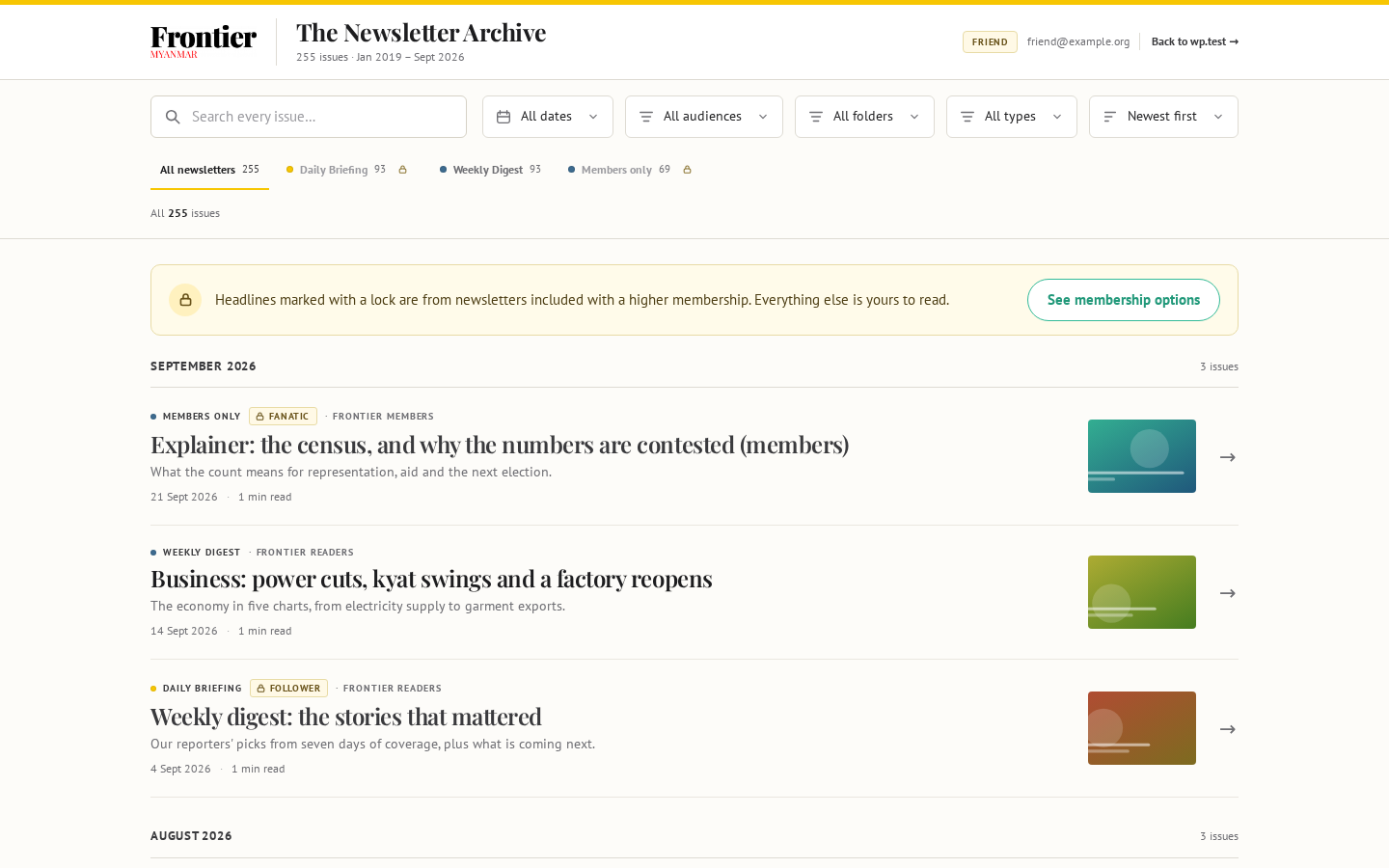
A member reads a newsletter's back issues when their plan includes that newsletter in FMS, the same newsletters they get by email. Switching the emails off does not lock the back issues. An archive manager can also open a newsletter to Everyone with the archive. A newsletter the archive does not know yet stays locked until an archive manager says which FMS newsletter it is. A member whose plan does not include a newsletter still sees:
- The newsletter's tab, with a small lock
- Every issue's headline, standfirst and picture, with a lock and the membership it needs
- A note above the list with See membership options
They do not see the issue's text, and it never comes up in a search.
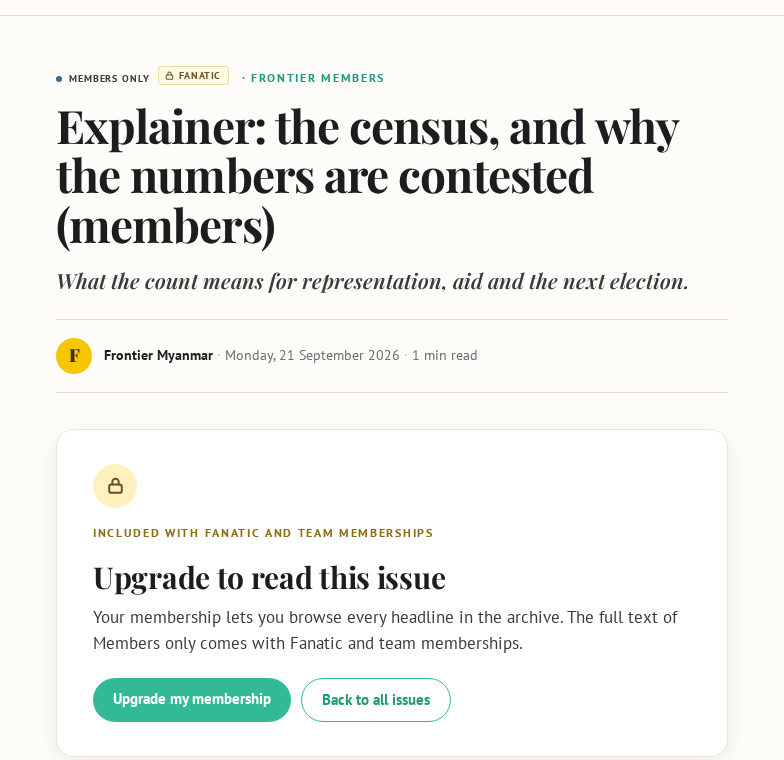
Opening a locked issue shows Upgrade to read this issue. Upgrade my membership goes to the membership page. Back to all issues returns to the list. A newsletter nobody has set up yet shows This newsletter isn't open yet instead, with no upgrade button. Staff set each newsletter up in Tidy the archive's newsletters.
A member who just upgraded still sees locks
The archive checks the membership when the member opens it from the website. An upgrade shows the next time they open it from the website, or after 12 hours at most.
Reading an issue
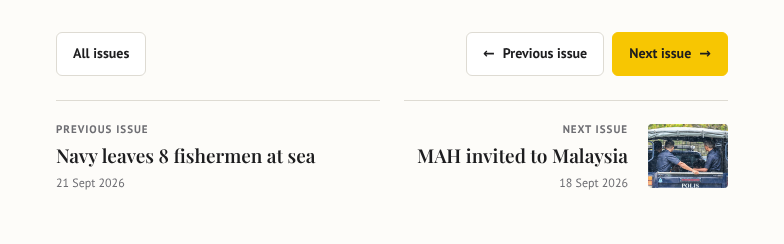
Previous issue and Next issue follow the list the member came from, filters included. All issues returns them to the same spot in that list.
A link inside an issue that pointed at another newsletter now opens that issue in the archive, in the same tab. Links to other websites open in a new tab, as before.
Why there is no "view original email" link
Mailchimp keeps a copy of every newsletter on a public web page that anyone can open without signing in. The archive is for members, so it never links there. Links in an issue that led to Mailchimp now lead to the issue in the archive. The rest, such as "view in browser" and tracking links, are plain text now, with the words left in place.
If an issue's text has not been collected yet, the reader says it will arrive within six hours. It no longer offers Mailchimp's copy instead.
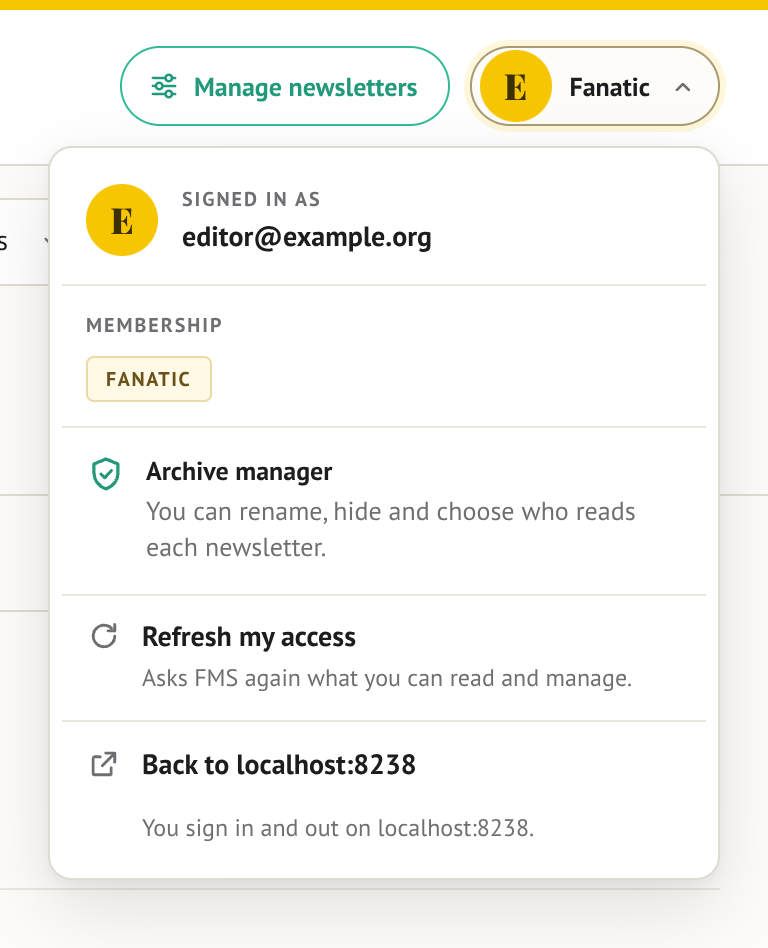
Who am I signed in as?
The round button at the top right, with the first letter of the member's email, shows their main plan. Pressing it opens their account: the email they are signed in with, every plan they hold, Back to Home page (with the website's address under it; for an archive manager it sits right under Archive manager) and Refresh my access.
The Frontier logo at the top left also goes to the website's home page. To get back to the archive's own front page, press its title, The Newsletter Archive.
Refresh my access asks FMS again what they can read. Use it right after a plan change, or after an owner ticks or unticks an archive manager. The archive leaves for the website and comes straight back with the new answer.
Signing out
The archive has no sign-out button. Back to Home page in the account menu, like the logo, only leaves the archive. Signing out of the website signs the member out of the archive too, on that browser.
When the archive turns someone away
The archive shows one of these messages instead of the issues.
| Message | What it means | What to tell them |
|---|---|---|
| That sign-in link had expired or was already used | Each sign-in link works once, for two minutes. A forwarded or bookmarked sign-in link always fails. | Open the archive from the website again. Bookmark the archive itself, not the link that opened it. The member's page shows which it was, on the Activity card. |
| Your membership doesn't include the archive yet | FMS says none of their plans includes the archive. | Check their plan in Members, and whether that plan has the archive badge on Plans. |
| You signed in on the website, but this browser did not keep the archive's sign-in | Their browser blocks cookies for the archive's address, so it cannot stay signed in. | Allow cookies for the archive's address (or leave private browsing), then sign in again. |
| We couldn't reach the membership service just now | The archive could not ask FMS. | Try again in a minute. If it persists, check Health. |
| The archive is being prepared | A new archive has not finished loading its first issues. | Wait, then press Try again. |
| The archive couldn't be loaded | The archive answered, but its list of issues did not arrive. | Press Try again in a minute. If it keeps happening, check the newsletter archive card on Health. |
| Our security service needs to check your browser again | Cloudflare, in front of the archive, stopped one of the page's requests. The page already reloaded once to pass the check. | Reload the page. If it happens to everyone, see Troubleshooting. |
When a reading session ends (12 hours after they came in), the archive sends them back to the website. A member still signed in there, whose plan includes the archive, lands straight back in the archive, on the same issue.
Why a lapsed member can still read for a while
The archive checks with FMS when the member arrives, then trusts that answer for 12 hours. Somebody whose membership ends mid-session keeps reading until that session runs out. The next visit is refused. Refresh my access in the account menu ends the wait at once.
Why a newsletter sent today is not there yet
The archive collects new issues from Mailchimp every six hours. A newsletter appears within six hours of being sent.