Getting around
Sign in with the email and password you were given, and you land on the Dashboard. From there, every screen has the same bar across the top.

- Dashboard — the overview you land on.
- Members — people, and the Teams tab.
- Plans — what you sell, plus discount codes, donations and gifts.
- Reports — money that actually reached the bank.
- Health — is anything broken, and the dead-letter queue.
- Settings — connections, sandboxes, backups and the rest of the operator tools.
Sub-tabs
Four of the six tabs hide more screens underneath. They appear as a row under the page title.

Which data am I looking at?
The badge at the top left is the environment. Production is real money and real members. Anything else is a practice sandbox.

Check the badge before every change
Practising in a sandbox is free. The same click in production charges someone.
The menu
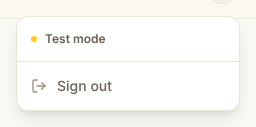
The button at the far right holds the tabs again on a narrow screen, and Sign out. Use it on any shared computer.